
How can you create a Proxikle Account?
A Proxikle Account helps you to have access to multiple Proxikle products. With a Proxikle Account, you can have:
- One identity to access all Proxikle apps.
- Secure-by-default authentication.
- Personalized settings for language, theme, and profile info.
- Integrated Web3 wallet support for decentralized access.
You can either create a Proxikle Account through the Web Browser or through our collection of Mobile Apps as well in the future.
Sign Up through the Web
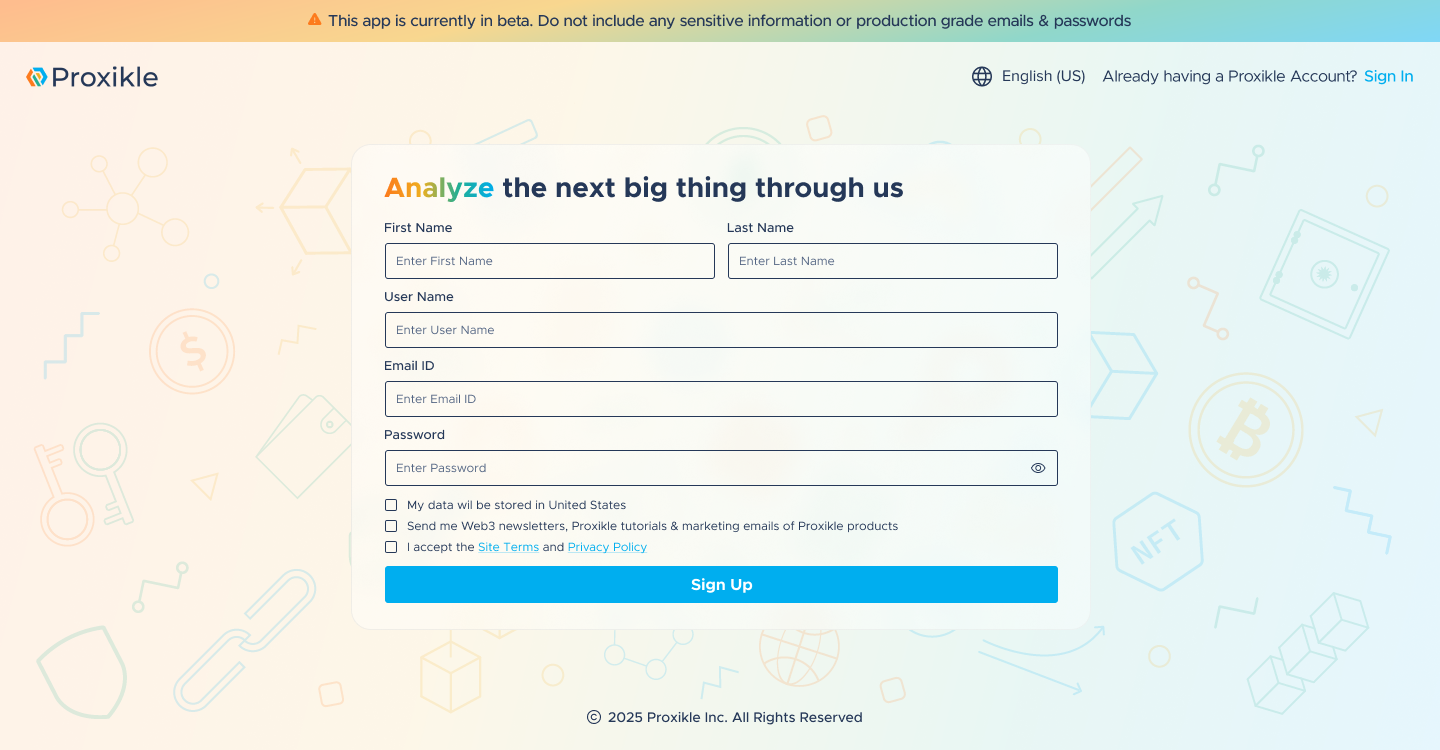
1. Access the link via https://kernel.proxikle.com/signup
2. Fill in your Personal Information of how you would like to be called in the Web3 space such as your First Name, Last Name, User Name, Email and Password.
Note that your username is an unique identifier and they cannot be changed once you have signed up.
3. You can optionally sign up for receiving our Web3 newsletters which details about bi-weekly events in the space such as important news or market insights.
4. Finally, read through our Site Terms and Privacy Policy and click on Sign Up.
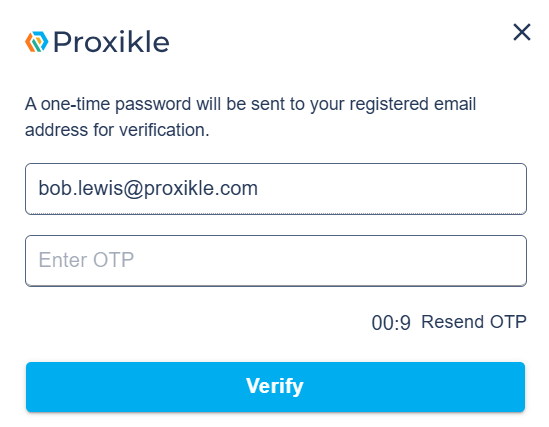
On clicking on Sign Up, Proxikle will be sending you a confirmation email from no-reply@proxikle.com with an OTP which you need to check in your email inbox to complete the sign up process.
How to reset your password if you forgot it?
If you have lost or forgotten your password for your Proxikle Account, you can reset the password by clicking the “Forgot Password?” link in the Proxikle Sign-In page.
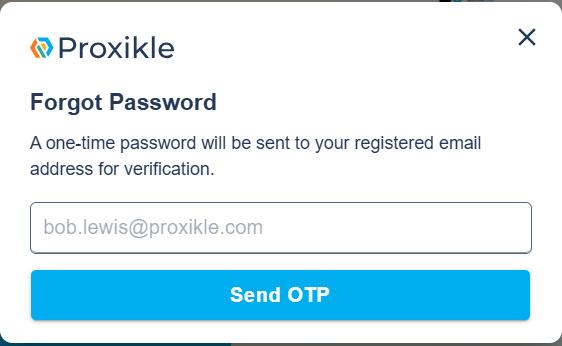
- Enter your email address associated with your account and click on Send OTP.
- You will receive an OTP to the email address you provided while signing up for the Proxikle Account.
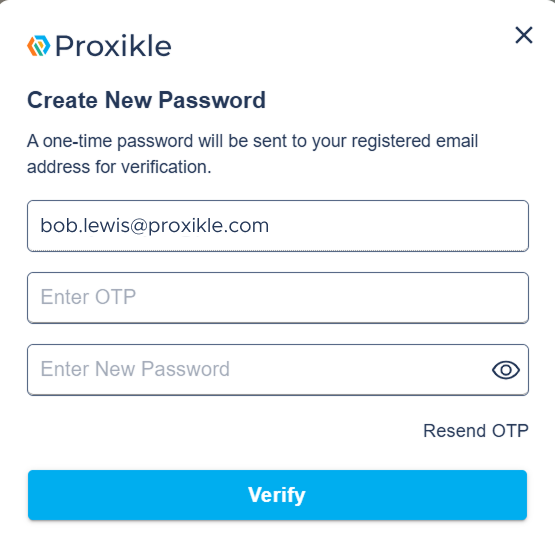
- Enter the OTP and your new password and click on Verify.
- On successful updation of the password, you will receive a confirmation message as below




