
How to keep your Proxikle Account secure from hacks?
To protect your Proxikle account from hacks, you need to follow some recommended practices:
- You need to keep your password private and protected. Failing to do so, will allow others to login and access your account.
- You need to keep your Ethereum wallet connected to your Proxikle account and its keys safe. Anyone having access to your Ethereum wallet can login to your Proxikle account and access them.
- Rotate the passwords regularly and never reuse passwords across various online services.
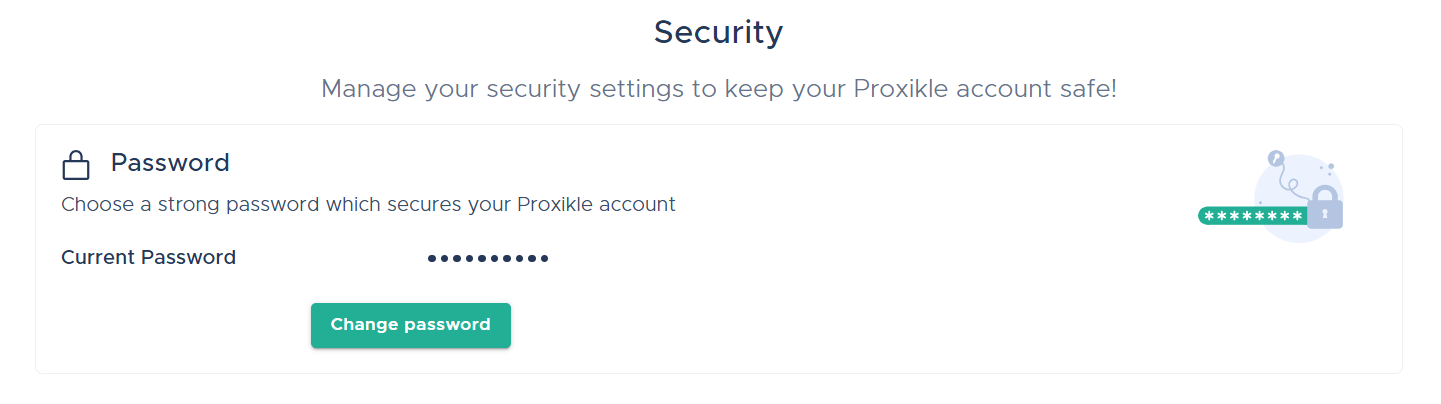
To change your password via Security page, follow these steps:
- On the Account app, click on the Security tab and choose Change Password.
- In the Change Password page, enter your Current Password, New Password and re-enter your New Password once again.
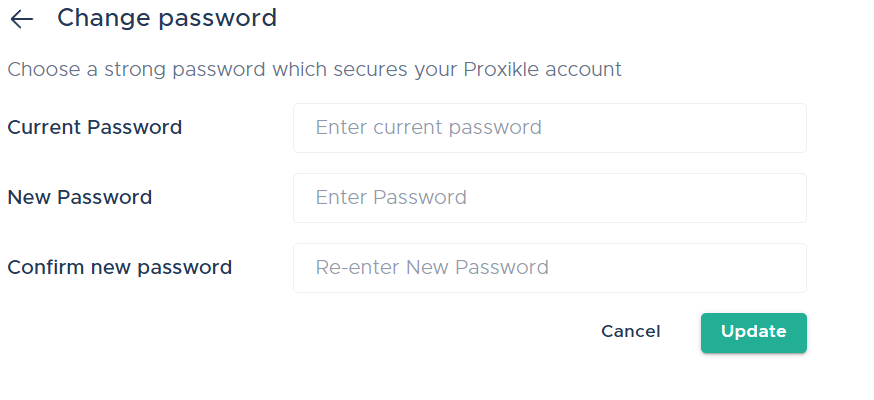
- Click Update.
To reset your forgotten password, see Reset your Forgotten Password section in Proxikle Sign-In documentation.
How to sign-out from all Proxikle services?
You can sign-out of your account when you are working on Proxikle Apps as well. To do this:
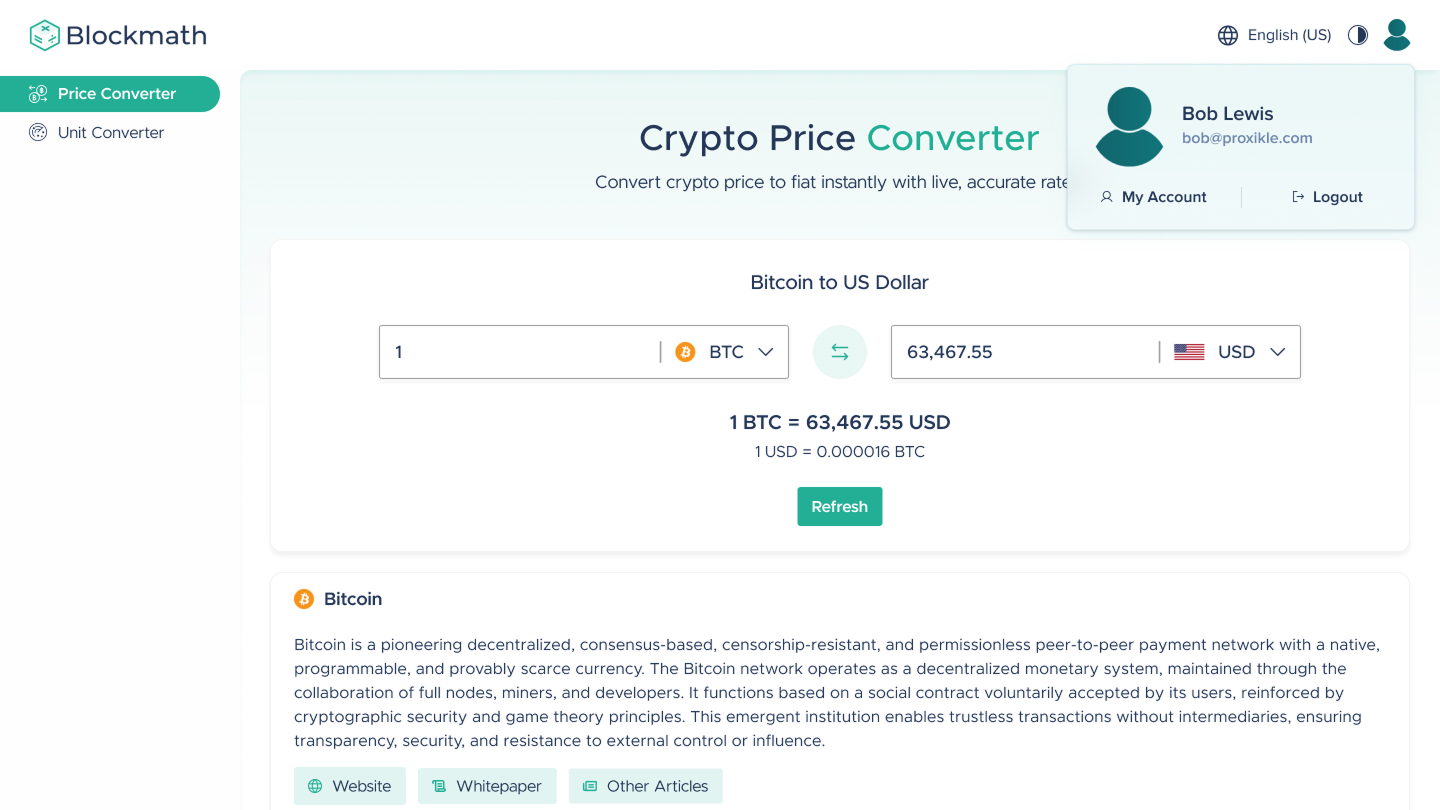
- If you are working in an application and wish to log out, you can click on the Account icon available at the top right corner of the screen
- On clicking the Account icon, you can select Logout and the app will return you to Guest User Mode.
How to close a Proxikle Account?
You can close your account by following the steps below:
- Click the “Close your Proxikle Account” tab in the Account home page.

- Acknowledge both the points to understand the account closure and click the “Close Account” button.
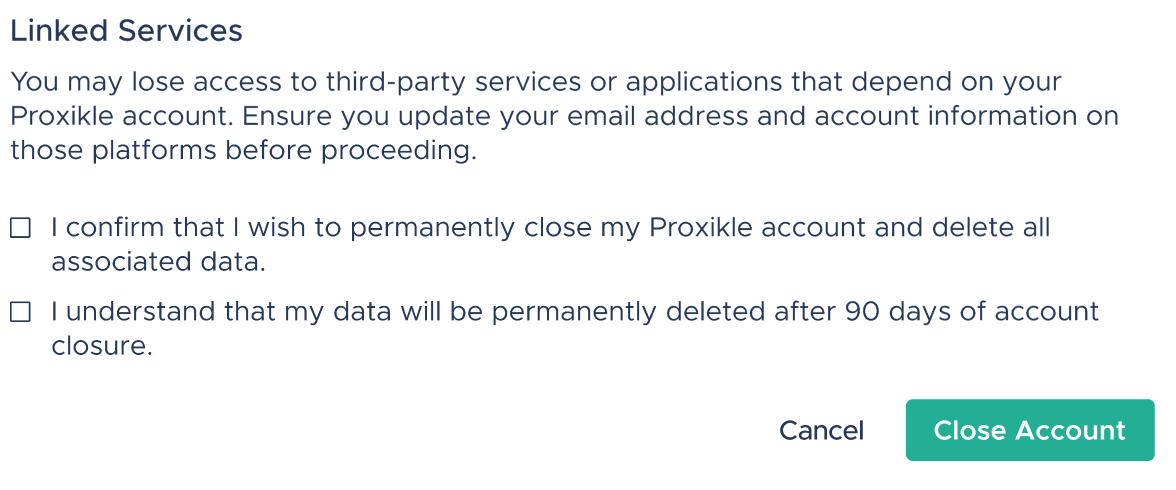
- You will be redirected to a screen which states “Your Proxikle Account has been successfully closed”.
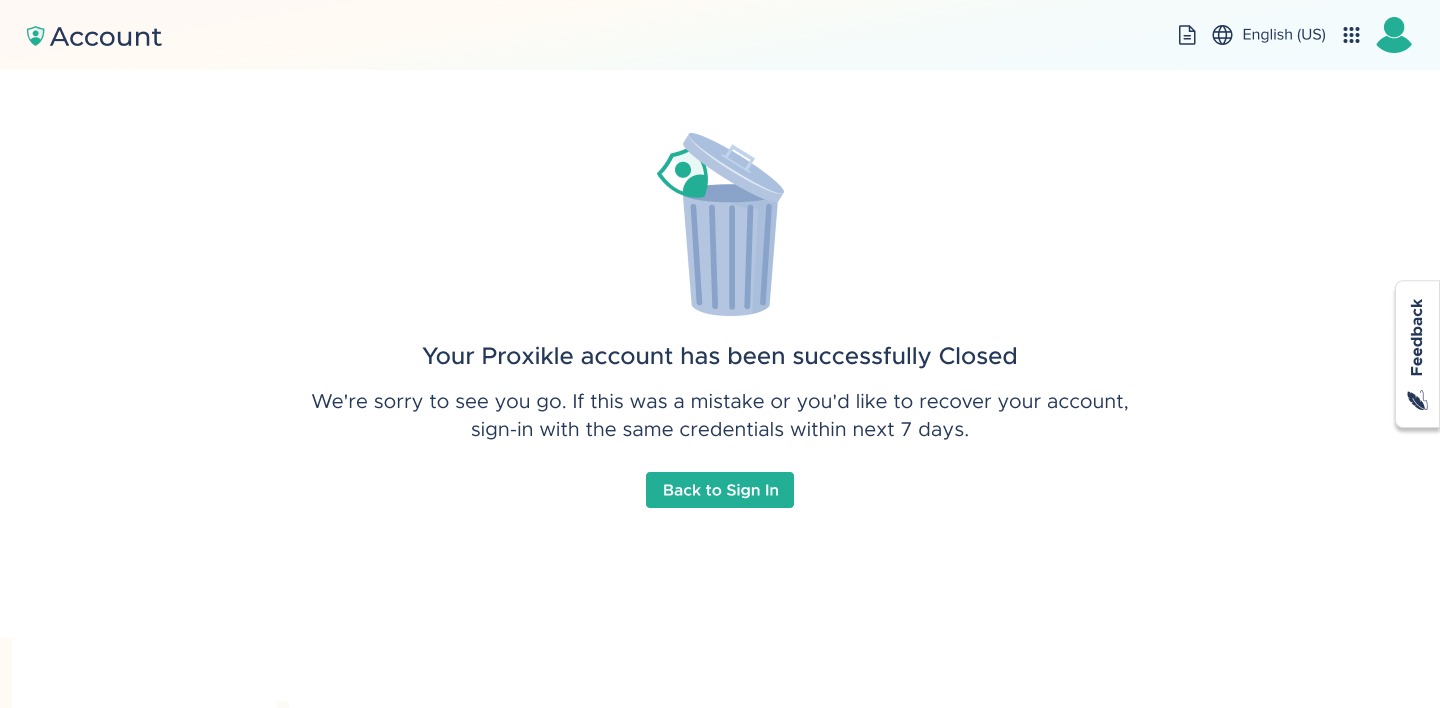
- Additionally, you will be logged out of the application and in a few minutes, you will be receiving an email from no-reply@proxikle.com confirming your account has been closed.
Recovering your Proxikle account
You can recover your Proxikle account anytime in the 7 days of time period after your account closure process has been initiated. To recover your Proxikle account, you can simply login and you will receive an email and a pop-up stating “Your account has been successfully recovered.” Failing to login to your Proxikle account within 7 days will result in permanent closure of your account and you will not be able to reopen or recover your data.



